显示标签为“Dell inspiron 640m battery”的博文。显示所有博文

2011年3月27日星期日

What is Your First Impression in iPad 2?

What is Your First Impression in iPad 2? - http://www.wholesaleeshop.com.au
Despite the plethora of Android tablets coming onto the market, Apple still maintains the lead. The iPad 2 is by far the most powerful tablet on the market for its price, and seems set to stay there for some time.
The body of the iPad is one-third thinner than the original and the size difference, combined with a slight reduction in weight, make the iPad 2 easier to hold. The flattened surface makes it feel as if it's just a slightly thick folder, making it easier to carry alongside other documents, or even by itself.
Yet the iPad 2 actually feels stronger than the original despite losing some of its bulk. The glass is more durable on this version, which makes the whole gadget feel quite a bit more solid.
Apple is starting to market the iPad as a content creation device, and not just a gadget for watching media and browsing the internet. The inclusion of the A5 chip is an obvious move in this direction, as it allows you to work much faster with apps that let you access remote desktops, manage and annotate documents and PDFs and create presentations and slideshows.
These apps open extremely quickly on the iPad 2. Accessing files within content management apps is extremely speedy. Testing with the LogMeIn remote desktop app over WiFi connections was painless, and much faster the original iPad.
Switching between those apps is also quick, meaning you can look up files in one program and open them in another without having to wait several seconds for them to load.
However, the iPad still has trouble with loading large spreadsheets.
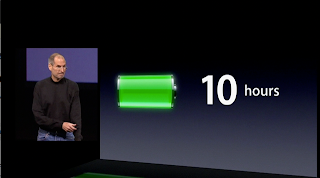
Battery life is good – over 10 hours with heavy use.
But while the iPad 2 is a good business tool, it not yet a replacement for a laptop.
Apple is getting there, but typing for extended periods of time on the iPad is still a bit of a chore. If you need to get longer typing done you can sync with the wireless keyboard, but right now the iPad itself is more of a supplementary tool than a main computing device.
Apple added two new cameras into the iPad. They're useful for video conferences, but not much else. Don't expect to be shooting high-quality video or taking pictures while travelling – you'll be disappointed. The lenses will surely be upgraded in future versions, but for now, they're just for FaceTime calls.
The other main issue is the lack of ports. USB, SD card and HDMI connectivity can be achieved through add-ons, but they shouldn't have to be. Using the iPad is annoying without them. These features are becoming standard on other tablets and Apple should introduce them in the next update if they don't want to be left behind.
There are plenty of covers already available online, but the SmartCover is definitely worth a look if you want something casual to protect your iPad.
The only problem is that it's fairly expensive – $39 for a polyurethane and $79 for a leather case. For that price you can get different versions, including portfolio-style covers, from other manufacturers like Belkin and Griffin.
Overall, the iPad is a much better experience than the first. It's sleeker, faster and much more comfortable to hold.
But this still isn't a complete replacement for a laptop. If you're after a solid business tool, then the iPad 2 is a good choice – just don't expect it to become your sole computer quite yet.
Read More:

2011年2月13日星期日

Battery Guide:Good calibration for Your laptop battery by wholesaleeshop.com.au

It is difficult to predict how long a laptop battery charge will last because each computer user has different habits and needs. The rate at which you use laptop battery power will determine how long you can use the battery of your laptop. You can re-calibrate your laptop battery if the battery's life has gotten shorter over time. Your laptop battery might need a good calibration if it doesn't seem to be getting the mileage that it should. How to re-calibrate laptop batteries? The following paragraphs will give you the answer.
Welcome to http://www.wholesaleeshop.com.au
First put the laptop computer to sleep by turning off the screensaver and other power management settings of the computer. Then fully charge the computer and allow it to run all the way down until the computer shuts off automatically. Once the laptop battery has fully drained, charge it back up again and restore the screensaver and power management settings.
Re-calibrate your battery every month or so by fully charging, fully discharging, and then fully charging again. Basically to have a chance to re-calibrate your laptop battery is to turn off all power-saving features completely and then fully recharge them. If it doesn't work for the first time then try two more full discharges and recharges.http://www.wholesaleeshop.com.au/laptop-battery/
The above way of re-calibrating the laptop batteriesworks well with laptops using Ni-MH cells. But not with laptops using Li-Ion batteries because deep discharges will actually decrease the charge capacity and lifespan of Li-Ion cells. Moreover Li-ion batteries irreversibly lose approximately 20% capacity per year from the time of manufacture at a typical 100% charge level at 25deg.C, even when unused. Li-ion batteries irreversibly lose approximately 2%, 4%, 15% at 0deg.C, 25deg.C and 40deg.C respectively, when stored at 40% charge level. That is every deep discharge cycle decreases the capacity of the Li-ion batteries. As the Li-Ion batteries are chemical in nature, charging and recharging is not going to fix the problem once the chemical reactions stop happening. Therefore the best advice for re-calibrating the Li-Ion batteries is to store the battery at 40% charge if it kept unused for any unlimited period of time. Also don't leave the battery in the laptop if you don’t use the battery or if you plug the laptop into outlet power.
Using the HP Laptop Battery Learning Utility, a modified version of a Win98 boot floppy, can also help you. Just place it in the floppy drive, and then turn on the computer. The re-calibration process is automated and takes about six hours to finish. This utility is available in different versions for different models. You can run the utility every two months.
Compaq v6000

Compaq v6000 Battery 4400mAh,10.8V,Brand New ONLY AU $75.88

You can also re-calibrate your laptop battery using IBM Thinkpad Battery Maximizer in order to maximize your laptop battery’s life. If your laptop has IBM ThinkPad Battery MaxiMiser and Power Management features installed, you can verify the condition of the laptop battery. You can check the status of your battery using the Battery MaxiMiser Gauge in the taskbar tray. The ThinkPad's Lithium Ion battery pack that seems to be an intelligent battery uses a microprocessor to monitor its capacity. Then the microprocessor of the battery pack passes the information about the remaining battery capacity to the laptop. The laptop indicates the capacity with high accuracy.
More information about Laptop battery tips:
Related Electronics Wholesale News Articles:

2011年1月16日星期日

Intel's 'Sandy Bridge' for laptops tested


Sandy Bridge from http://www.wholesaleeshop.com.au/
Much has been made of the latest generation of  Intel CPUs, previously dubbed "Sandy Bridge."  Post-announcement, the chips are now known as  the second generation of Intel's Core i-series  processors, and use the same Core i3/i5/i7  names as the 2010 versions.
But under the hood, much has changed. As we  reported from CES, "highlights of the second-  generation Core processors, built around a new  32nm microarchitecture, include more energy-efficient performance and improved 3D and graphics performance. Intel claims that with this new generation of CPUs, content creation is up to 42 percent faster and gaming up to 50 percent faster than with previous generations."
The CNET Labs team has been benchmarking a test laptop provided by Intel. Known as a white-box system, this is a generic laptop loaded with the 2.3GHz Intel Core i7-2820QM, one of the higher-end new Intel CPUs. As a custom-built laptop with a quad-core CPU and solid-state hard drive, this system might be what one would call a ringer, and you won't find this specific build for sale anywhere. (For laptops more likely to end up on store shelves in the near future, check out our collection of the coolest laptops of CES 2011.)http://www.wholesaleeshop.com.auNaturally, Intel has provided a list of suggested benchmark tests and workloads, all designed to show off the new Sandy Bridge components in the best light. Instead, we've run CNET's standard laptop benchmark tests, including our grueling battery drain test (the bane of PC makers around the world). Despite not using Intel's suggested applications and tests, the Sandy Bridge white-box laptop performed very well, even when up against the slate of recent high-end laptops we compared it with.
The charts below outline how the new Core i7-2820QM system did when up against current-gen Core i7 laptops, including HP's Envy 17 and Toshiba's Qosmio X505. In our single-app tests, the new quad-core Core i7 performed excellently, winning in some of the tests by a wide margin.
The real challenge was in the video game tests, which would make use of the newly revamped Intel HD graphics system, designed to make dedicated discrete graphics cards unnecessary for many users. In our not-too-challenging Unreal Tournament III test, it cranked out excellent frame rates, but keep in mind that the native resolution of the display on our test unit topped out at 1,600x900 pixels (as noted in the chart below). In a newer game, Street Fighter IV, the Sandy Bridge laptopran at about 27 frames per second. Still, these are impressive results for a laptop without a discreet video card, and leads us to think that retail Sandy Bridge systems will be fine for World of Warcraft, Portal 2, and other scalable games.
Acer laptop from http://www.wholesaleeshop.com.au
Our test unit also ran for a very long time on its battery, using our standard video playback battery drain test--certainly much longer than previous Core i7 laptops, which are typically power-hungry gaming/multimedia rigs. Again, this may change significantly when we see actual retail systems, but it's a good sign. This system (which again, lacked dedicated gaming hardware or a massive 19x10 display) was very power efficient as well, and should cost about a quarter asmuch to run per year as a tricked-out HP Envy 17.
Once we get actual shipping versions of laptops with Intel's new quad-core Core i7 processors (mainstream dual-core versions are still a ways out), we'll be able to do more-formal testing and issue official reviews. In the meantime, check out the charts below for a taste of the future of laptops. A preview of the first desktop systems with the new CPUs can be found here.(www.wholesaleeshop.com.au)
----------------------------------------------------------------------------------------------------------------------
To read more good posts, please follow us on Twitter: http://twitter.com/wholesaleeshopbatteryfast.com twitter Notebooks Maybe replaced by Tablets  in 2011   by wholesaleeshop.com.au Thank you!
Read the original here: